Now on the App Store

The start line,
in your pocket.

Lay a course, sync the start across every boat, and track the fleet live — with handicap-corrected results the moment you cross the line. Club racing, without the clipboard.

Download on the App Store Android coming soon to Google Play

Free to race·No race officer required·Built for iPhone

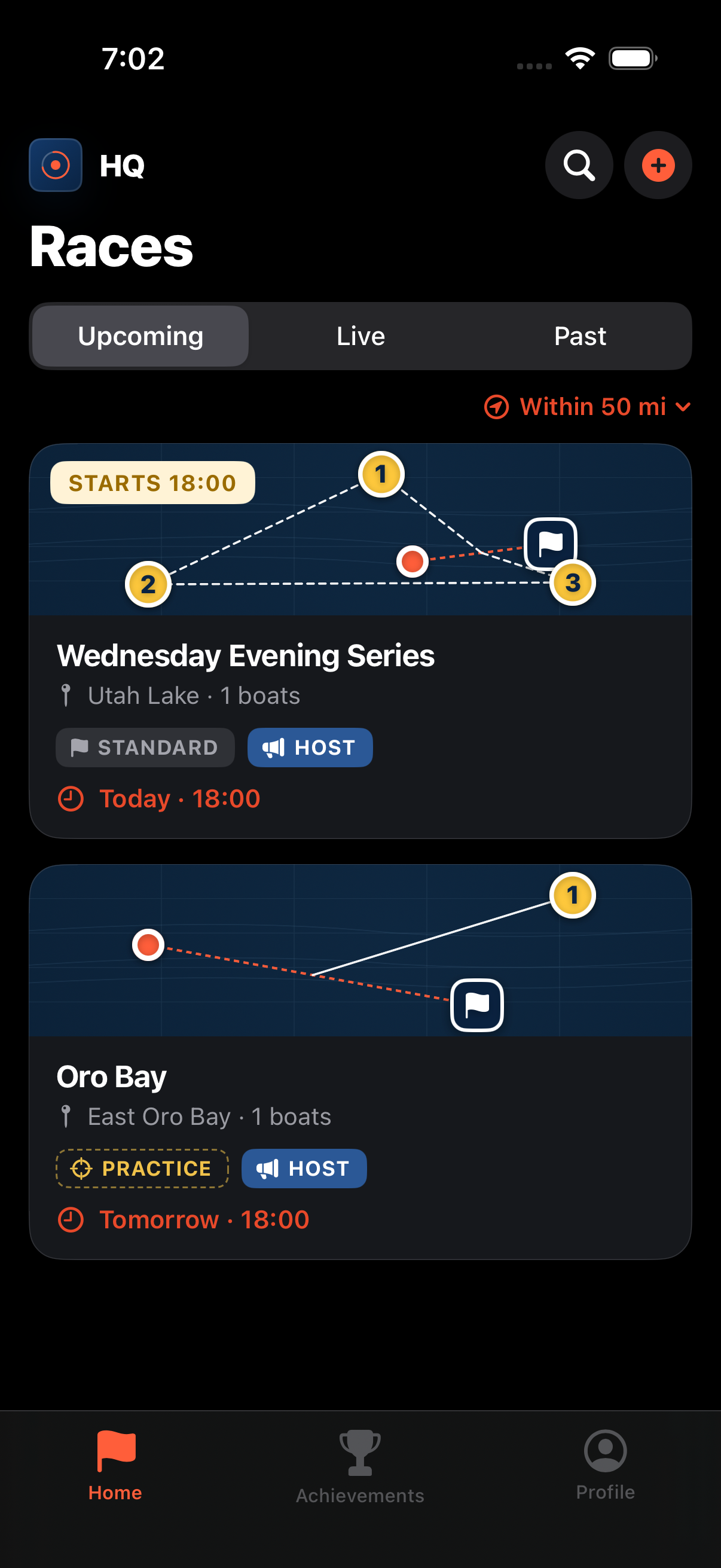
Committee Boat HQ race list showing upcoming races on iPhone

Everything race day needs

From start line to scoreline, on one screen.

No committee boat? No problem. Committee Boat HQ runs the whole sequence from the phones already in your fleet — the course, the countdown, the tracking, and the math.

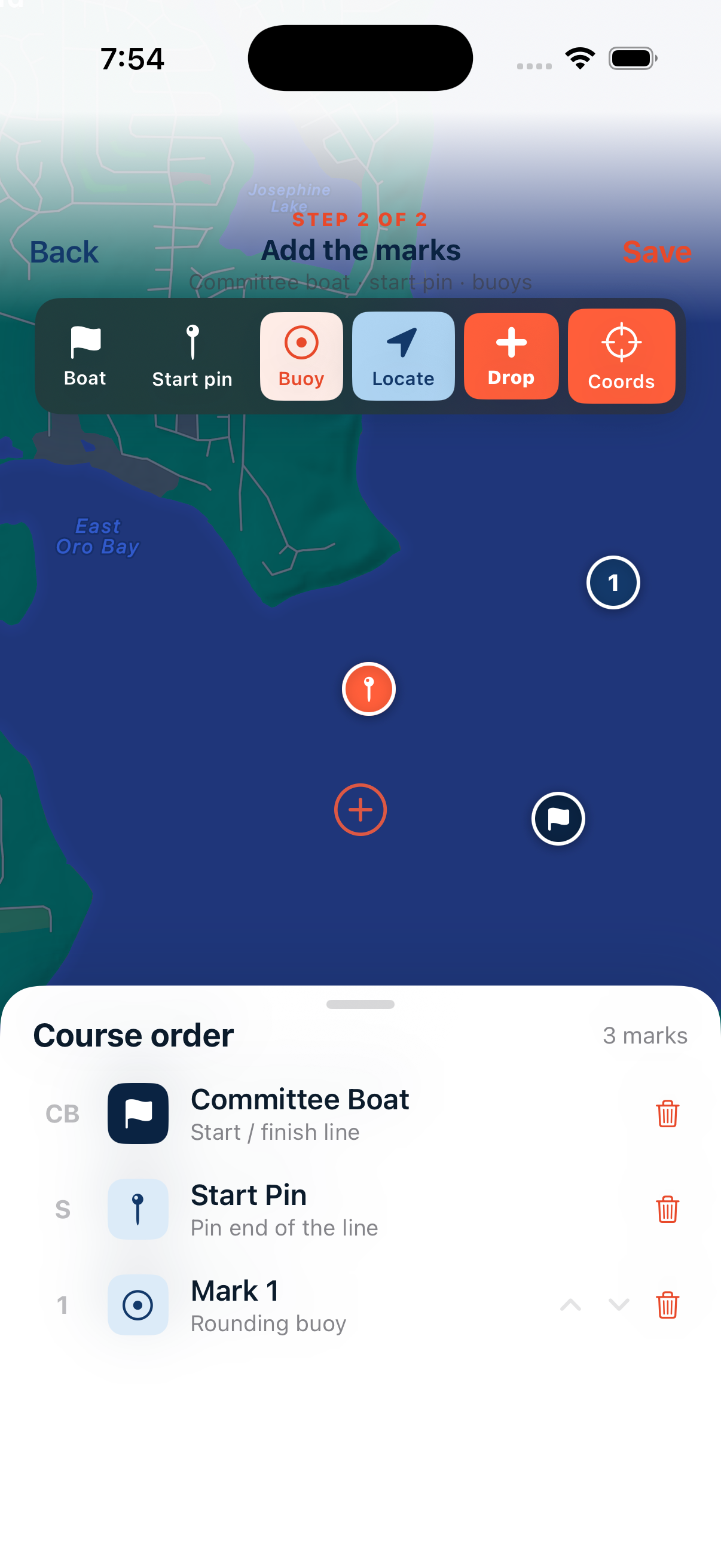
Adding course marks by dropping the committee boat, start pin, and buoys on a live chart
01 · COURSE

Drop the course

Tap to set the committee boat, start line, and marks on a live chart. Windward-leeward or round-the-island in seconds.

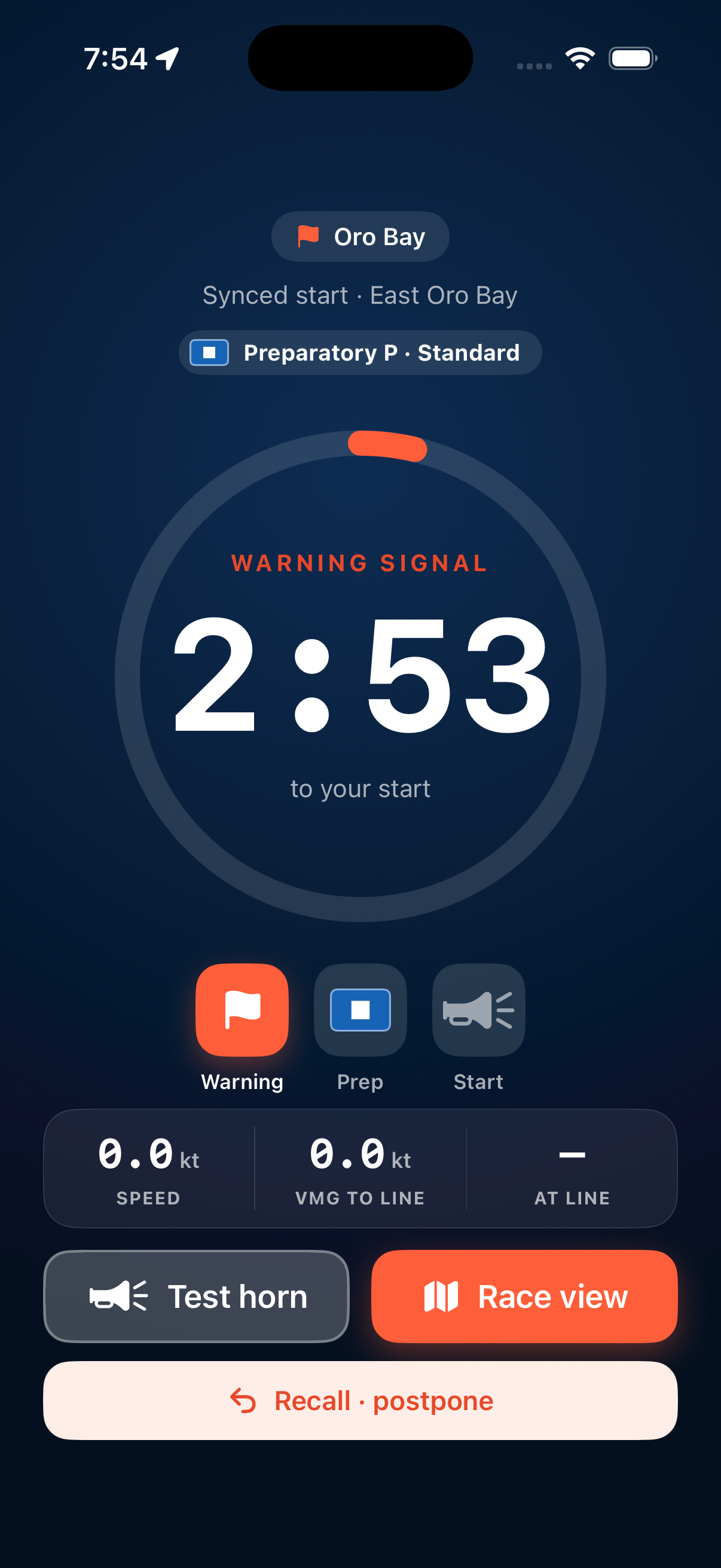
Synced start countdown showing the warning signal timer with warning, prep, and start horns
02 · START

Sync the start

One countdown, every phone. Warning, prep, and start horns fire together — with the right signal flag for the day.

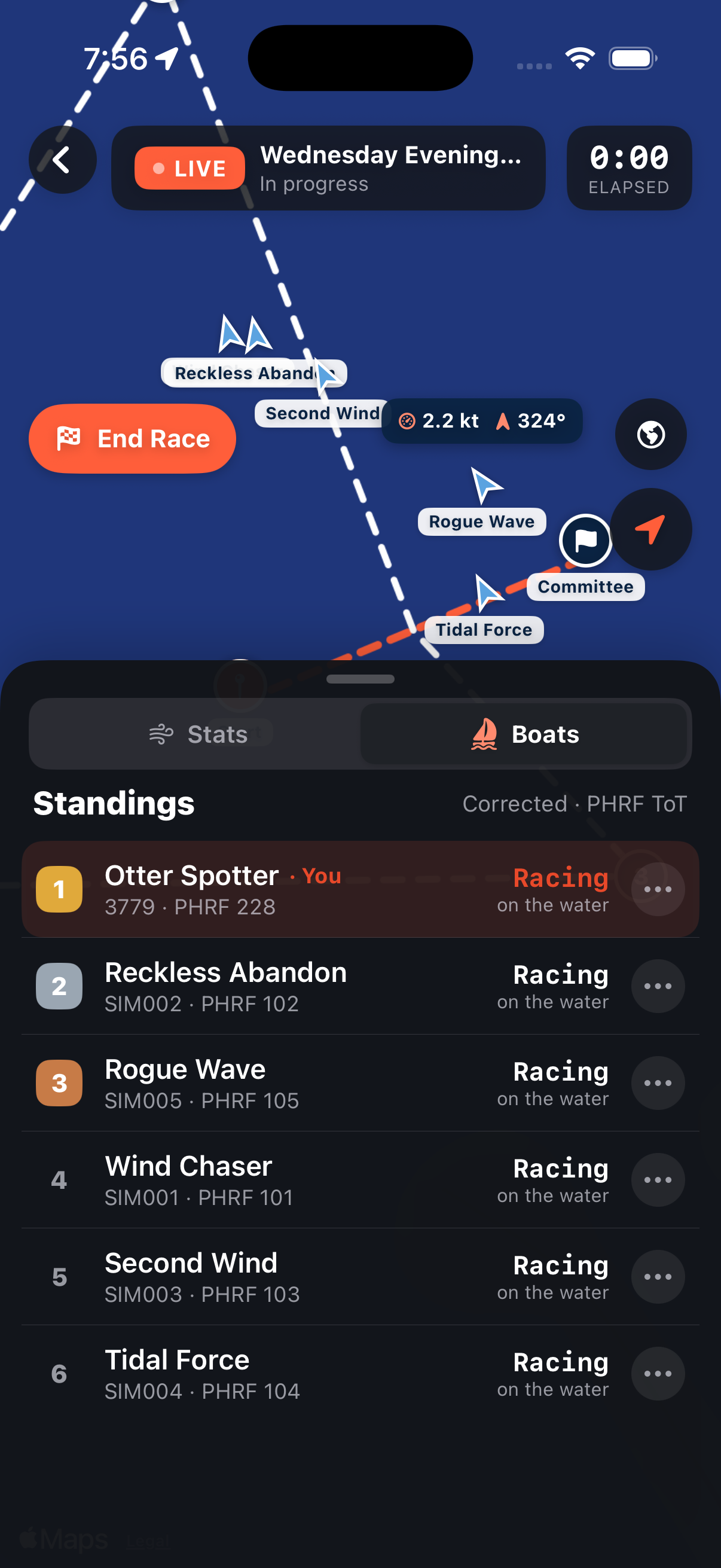
Live fleet tracking with every boat on the chart and real-time corrected standings
03 · TRACK

Track the fleet

Every boat's phone reports its position. Watch the whole fleet round the course live, with the leader board updating in real time.

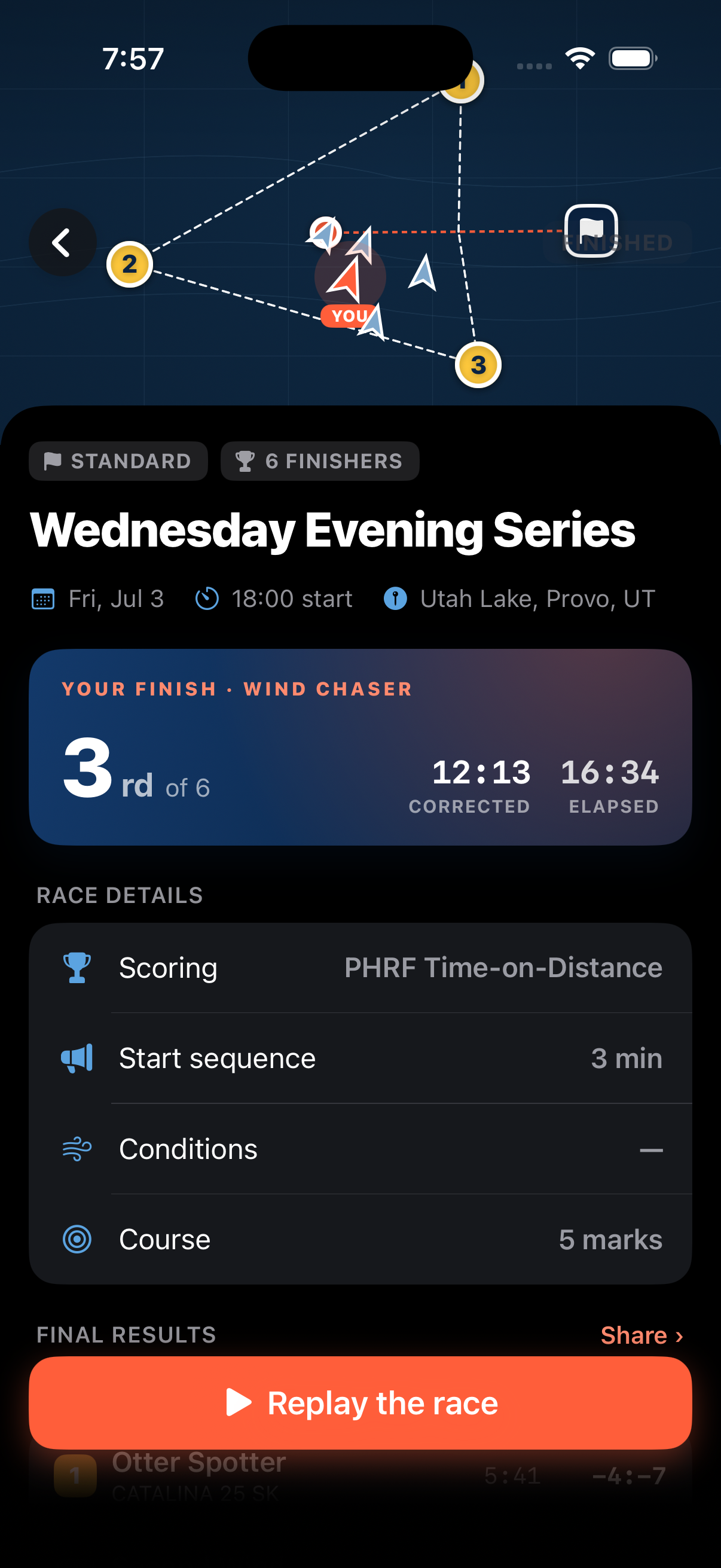
Corrected race results showing your finish, PHRF scoring details, and final standings
04 · SCORE

Corrected results

Scratch, PHRF Time-on-Time, or Time-on-Distance — the math runs itself. Final standings the moment the last boat finishes.

Three taps to the gun

Set up a race in the time it takes to rig.

STEP 01

Lay the course

Pick a start area and drop your marks on the chart. Set the handicap system and the start sequence — 3, 5, or 10 minutes.

STEP 02

Invite & start together

Share a link and the fleet joins in a tap. The countdown syncs to every phone — warning, prep, and start horns fire as one.

STEP 03

Race, track & score

Phone GPS tracks every boat down the course. Cross the line and corrected results are ready to share — no spreadsheet required.

Good to know

Questions from the dock.

Do I need a real committee boat?
No — that's the whole point. Committee Boat HQ runs the start sequence, signals, and scoring from the phones already in your fleet. Anyone can be Race Committee: tap to lay a course, and the app handles the rest.
How does the synced start work?
When you start a race, the countdown is shared to every boat that joined. Each phone counts down to the same gun and plays the warning, preparatory, and start horns in unison — so the fleet starts together even when boats are spread across the line.
Which handicap systems are supported?
Scratch (first boat home wins), PHRF Time-on-Time, and PHRF Time-on-Distance. Enter each boat's rating once and corrected results are calculated automatically the moment everyone finishes.
How accurate is the live tracking?
Tracking uses each phone's GPS, which is plenty accurate for following the fleet around a course and recording finish times. It's built for casual club and beer-can racing — not for protest-room precision.
Does it work without cell signal?
The countdown, horns, and your own course work offline. Live fleet tracking and shared results need a connection — though boats reconnect and sync automatically once they're back in range.
Where can I get it, and what does it cost?
Committee Boat HQ is available now on the App Store for iPhone, and it's free to race. Download it here and lay your first course today.
Is there an Android version?
Not yet — Committee Boat HQ is iPhone-only today. An Android version is in the works and coming soon to Google Play. Check back here for the launch.

Get on the line this weekend.

Committee Boat HQ is on the App Store and free to race. Download it, lay a course, and run your fleet's next start from your phone.

Download on the App Store Android coming soon to Google Play
An unhandled error has occurred. Reload 🗙

Rejoining the server...

Rejoin failed... trying again in seconds.

Failed to rejoin.
Please retry or reload the page.

The session has been paused by the server.

Failed to resume the session.
Please retry or reload the page.